How to Integrate On-Screen Pixel Measurement into C++, C#, and Python Apps

Chief Executive Officer
Building tools that measure
If you're developing a Windows application that requires precise on-screen measurement—such as a specialized medical viewer, a CAD companion tool, a GIS mapping suite, or a quality assurance platform—you don't need to reinvent the wheel. Building a rotatable, calibrated, transparent overlay that handles sub-pixel positioning and high-DPI scaling from scratch is a significant engineering effort that can divert resources from your core product logic.
The Iconico Screen Measurement SDK allows you to leverage the 20-year history of Screen Calipers and Screen Protractor directly from your own code. By integrating our proven measurement engine, you can add professional-grade interpretation tools to your application in a matter of hours, rather than months.
Whether your goal is to automate the extraction of measurement data for a database or to provide a human-in-the-loop validation step for a machine learning model, our SDK provides the bridge between the visual screen and your application's data layer.
How the SDK works
The SDK works via a COM (Component Object Model) interface, making it accessible from almost any language that runs on Windows.
- Total Remote Control: Launch the Calipers or Protractor programmatically. You can set their initial position, rotation, units, and even select a specific skin to match your application's branding or functional requirements.
- Bi-Directional Data Flow: Not only can you read the current measurement value, units, and pixel coordinates back into your application, but you can also update the tool's position from your code. This is perfect for "snapping" the calipers to detected features in an image.
- Zero Learning Curve for Users: Your end-users get the benefit of a familiar, industry-standard measurement UI, while your application silently handles the complex data processing in the background.
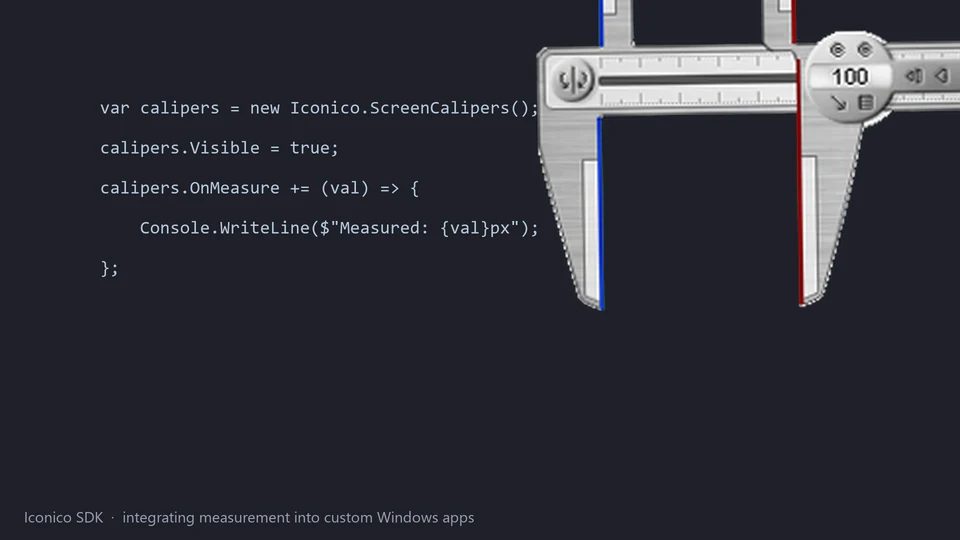
- Event-Driven Integration: Subscribe to events that fire whenever the user finishes a measurement, allowing your application to react instantly—for example, by updating a table of results or triggering a validation check.
Integration Examples
C# / .NET
Simply add a reference to the Iconico COM library in Visual Studio. You can then instantiate the Caliper object and subscribe to measurement events.
Python
Using the pywin32 library, you can easily connect to the Iconico tools. This is ideal for research scripts or automation workflows where you need a human-in-the-loop to verify a measurement.
C++
For high-performance applications, direct COM integration provides the lowest latency and most control over the measurement lifecycle.
Ready to build?
Download the free SDK and examples on our Developer Portal .
Try Screen Measurement Pack
Download the free trial for Windows 10 and 11, or buy a license.
