How to Measure Angles in Digital Artwork and CAD Software

Chief Executive Officer
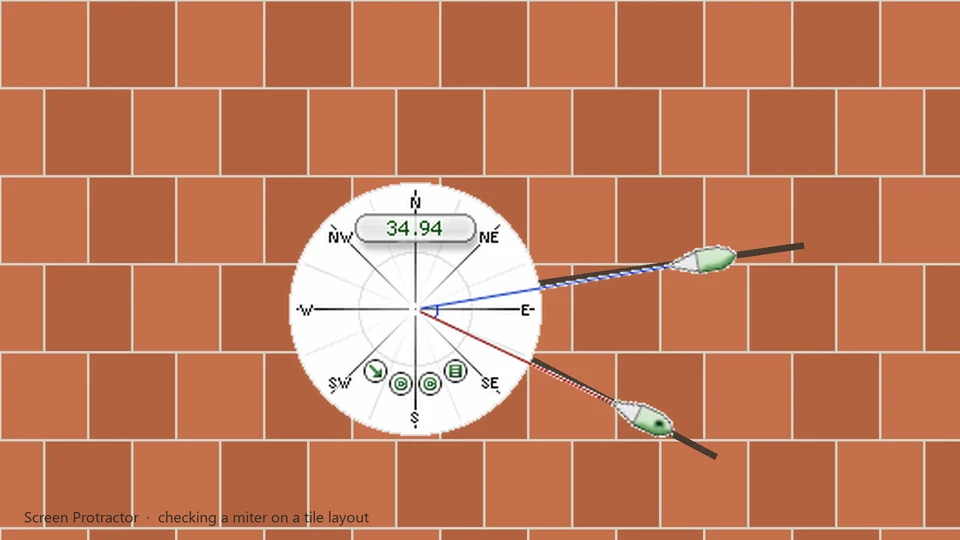
Precision across any Canvas
Whether you're a digital illustrator using Corel Painter and Photoshop, or a mechanical engineer working in a legacy CAD suite like TurboCAD, the fundamental need to verify angles is universal. While modern creative suites often include built-in measurement features, they are frequently buried deep in contextual menus, restricted to specific layers, or limited by the application's internal coordinate system.
Sometimes, you don't want to mess with your workspace settings or change your active tool just to check a quick angle. You need a tool that exists independently of the software you're using—a "system-level" measurement assistant.
This is where Screen Protractor excels. It functions like a real, physical protractor that you've placed on your monitor, but with the pixel-perfect precision only digital software can provide.
The "Always On" Protractor
Screen Protractor is designed to stay on top of your artwork or technical drawing. It functions like a real physical protractor that you've placed on your monitor, but with the added benefits of digital precision.
- Audit Technical Drawings: Verify the pitch of a roof in a site plan or the angle of a mechanical part in a scanned technical manual. Since the protractor is transparent, you can align it perfectly with the underlying image data.
- Composition in Digital Art: Use the protractor to check the perspective lines in a digital painting. By setting the origin at your vanishing point, you can quickly verify if every element in your scene follows the correct geometric trajectory.
- Anatomy & Character Design: Ensure your character's pose follows a specific geometric grid or check the angle of limbs to maintain consistency across multiple frames of animation.
- Keyboard Precision: Use the keyboard shortcuts to rotate the measuring arm by a fraction of a degree. This allows for a level of fine-tuning that is nearly impossible with a mouse alone.
- Multiple Skins: Choose from a variety of skins, including high-contrast versions for dark mode workspaces or professional-grade engineering styles that mimic classic draftsmanship tools.
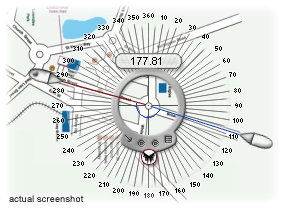
Custom Units for Professionals
For specialized engineering tasks, you might not be working in standard degrees. Screen Protractor supports custom unit calibration, allowing you to measure in grads, radians, or any unit required by your specific project workflow.
Bring physical precision to your digital canvas.
Download Screen Protractor on the Screen Protractor page .
Try Screen Protractor
Download the free trial for Windows 10 and 11, or buy a license.
