Screen Protractor for Tile and Flooring Layout

Chief Executive Officer
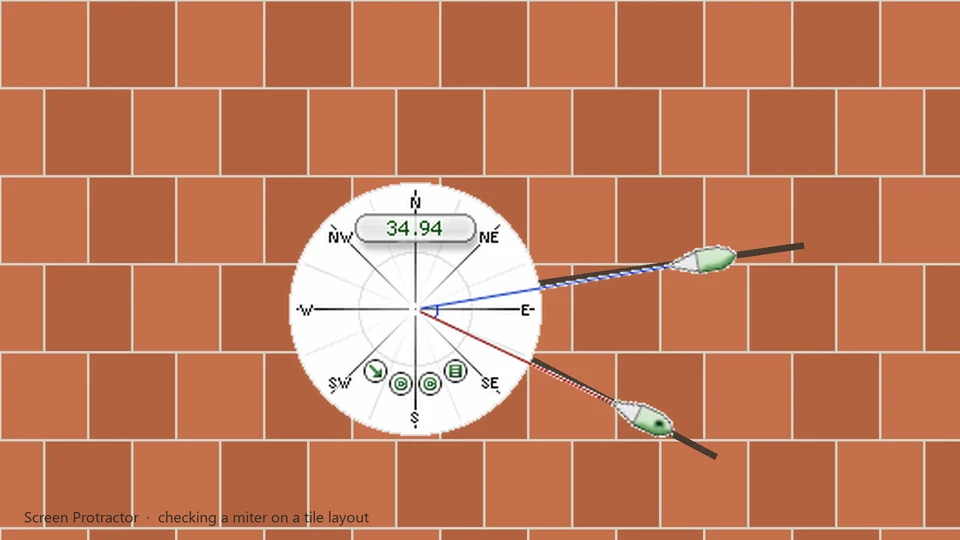
Angles on screen when the layout app has no protractor
Tile and flooring shops often work from CAD layouts, photo mockups, or vendor PDFs that show cuts and diagonals but not a live angle readout. Screen Protractor floats over those windows so you can verify a miter, a herringbone joint, or a room corner without exporting to another tool.
When you're dealing with expensive materials like marble or high-end vinyl, a miscalculation of just a few degrees can lead to significant waste. Many production-level flooring programs focus on area and volume rather than the geometry of the cuts. Screen Protractor bridges that gap by giving you a digital miter tool that sits right on your monitor.
We hear this from contractors who already use Screen Calipers for straight spans and want the same overlay behavior for degrees.
Optimizing the Layout Workflow
Getting a complex tile pattern right requires more than just measuring a single angle. Our customers use the following features to speed up their prep work:
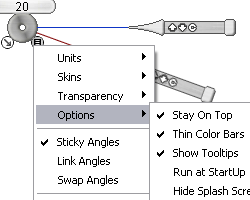
- Sticky Angles: If you have a recurring 45° cut across a whole sheet, use the "Sticky" feature to keep the handle in place as you move the protractor hub from tile to tile.
- Keyboard Input: Don't just drag; you can type "45" and press Enter to snap the handles to a precise value.
- Transparency: Adjust the tool's opacity so you can see the grout lines and grain direction underneath as you measure.
- Link Angles: When you need to maintain a fixed 90-degree relationship between two handles as you rotate the entire tool, use "Link" in the menu.
- Open the room layout or tile pattern at your usual zoom level.
- Launch Screen Protractor and drag the hub to the vertex you care about.
- Align the handles to each leg of the angle. Read degrees on the face.
- Nudge one degree at a time with the arrow keys for a perfect fit.
Not a substitute for a site transit
Screen Protractor measures on your monitor, not on the jobsite floor. It helps when the plan is digital and the question is "does this corner read 45° in the file before we cut." For field layout you still need physical tools; for screen-based prep, a floating protractor beats guessing from a static diagram.
Classroom geometry teachers use the same tool with our free lesson plans . Construction layout is the same muscle memory on different software underneath.
Try Screen Protractor
Download the free trial for Windows 10 and 11, or buy a license.
