Screen Calipers for Web Design and HTML Layout

Chief Executive Officer
Iconico Files: pixel-perfect HTML without guessing
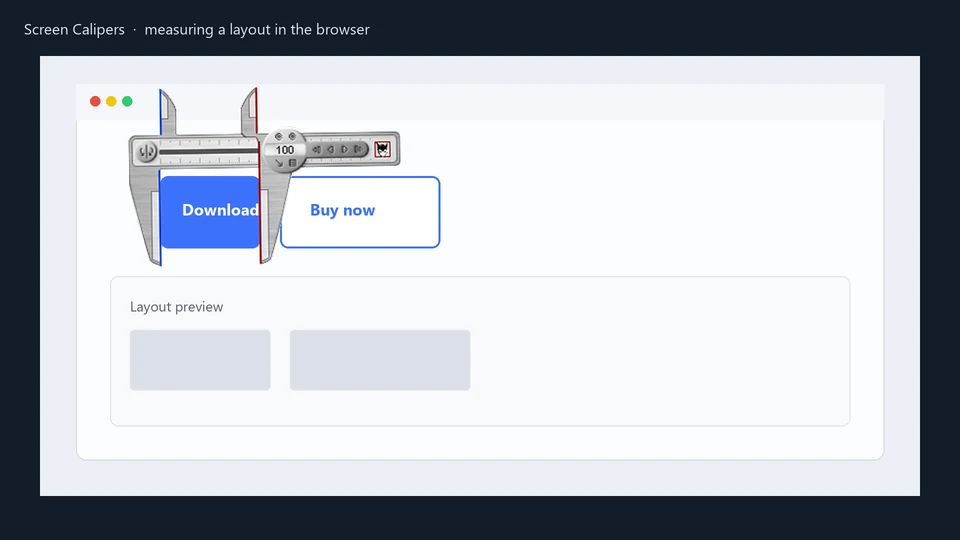
Web designers have measured layouts in browser dev tools for years. That works until you are aligning images in Photoshop, checking whitespace in a legacy CMS, or proving to a client that a banner is centered. Screen Calipers float over any window, so you are not locked to one app.
When you are building a responsive site, you often need to check how things look at specific breakpoints. While browser dev tools show you the window width, they don't always make it easy to measure the gap between two elements that aren't cleanly defined in the DOM, like the space between a text block and a background image detail.
"Your programs are absolutely outstanding. They are a must for every webdesigner."
Hermann, Screen Calipers customer
The Calipers act like a physical tool on your monitor. You can drag them across your design, rotate them to check diagonal alignments, and use the arrow keys to nudge the jaws one pixel at a time. It's the difference between guessing and knowing.
"This is a perfect program to measure items on your html pages as well as other stuff. I use the program to align pictures on my site and to measure blank space on my site to make sure my pages always stay centered like I want them. Every person with a website should have this one."
Oteotd, Screen Calipers customer
The workflow for modern web design
Whether you're using Figma, Adobe XD, or coding directly in VS Code, Screen Calipers help you maintain visual consistency across your workflow. Here's how we see pros using it:
- Alignment Checks: Ensure that your logo, nav items, and hero text are perfectly aligned according to your grid, even if the CSS box model is behaving strangely.
- Whitespace Audits: Measure the "breathability" of your design. If a page feels cramped, use the Calipers to standardize your margins and padding across different sections.
- Asset Preparation: Before you export an image, check the exact pixel dimensions it will occupy on the screen to avoid unnecessary scaling and maintain sharpness.
- Client Verification: When a client asks "is that centered?", you can show them the exact pixel count on both sides without opening a complex design tool.
DevTools still win for live CSS tweaks. Calipers win when the asset is a flat image, a PDF comp, or an app that never shipped a ruler.
Why not PowerToys or a browser extension?
PowerToys Screen Ruler is excellent for quick axis-aligned pixel counts. Screen Calipers add rotation, calibration, and a persistent overlay that follows you across Photoshop, Figma exports, and the browser. See our PowerToys comparison for an honest split.
More customer stories live on the Screen Calipers page.
Try Screen Calipers
Download the free trial for Windows 10 and 11, or buy a license.
