How to Measure Angles on Digital Blueprints and PDF Drawings Without CAD Plugins

Chief Executive Officer
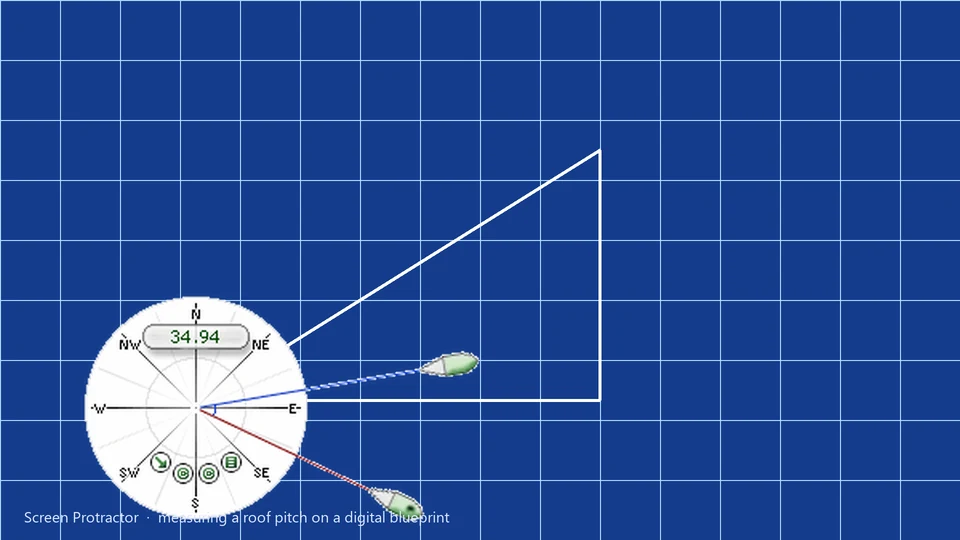
When you don't have the DWG file
If you're a contractor, estimator, site manager, or civil engineer, you frequently receive project plans as flat PDF files, JPGs, or scanned TIF images. You don't always have access to the original DWG or BIM files, and you certainly don't want to invest in a $2,000 AutoCAD license just to verify a miter angle on a custom trim or check the pitch of a roof in a site photo.
Measuring angles on a static image on your PC is notoriously difficult. Standard PDF viewers like Adobe Acrobat or Bluebeam have measurement tools, but they can be clunky, hard to align with non-orthogonal lines, and often lack the precision required for detailed joinery or site analysis. Many pros end up holding a physical plastic protractor against their expensive LCD monitor—an inaccurate method that risks damaging the screen.
Screen Protractor solves this by providing a professional-grade, transparent overlay for Windows that acts as a digital version of the physical tools you know and trust.
Measuring angles over any PDF
The beauty of Screen Protractor is that it is completely agnostic to the software you use. Whether you're viewing plans in Bluebeam, Adobe Reader, or just a web browser, the protractor floats above the window.
- Universal Compatibility: Whether you're viewing plans in Bluebeam Revu, Adobe Reader, a web browser, or a proprietary hospital imaging system, the protractor floats above the window. It doesn't need to be "integrated"—it just works on everything.
- High-Precision Alignment: Use the keyboard arrows to "nudge" the origin point by a single pixel. This level of control is impossible with physical tools or generic software rulers.
- Multiple Unit Support: Measure in degrees, radians, grads, or even define a custom unit. This is essential for specialized fields like ballistics, astronomy, or nautical navigation.
- Transparency Control: Adjust the opacity of the protractor skin so you can see the underlying drawing details through the tool, ensuring your baseline is perfectly aligned with the architectural lines.
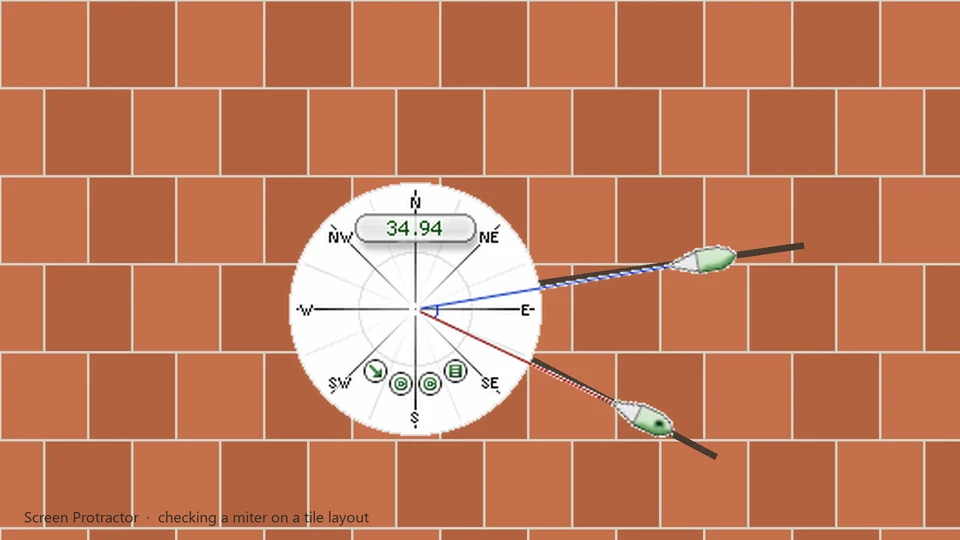
Precision for Estimators
For estimation work, a few degrees can be the difference between a profitable bid and a loss. Screen Protractor's high-resolution skins and fine-tuning keyboard shortcuts ensure that your digital measurements are as accurate as the scan allows.
Stop guessing angles on your plans.
Download Screen Protractor on the Screen Protractor page .
Try Screen Protractor
Download the free trial for Windows 10 and 11, or buy a license.
