Screen Calipers for Blueprints and Maps

Chief Executive Officer
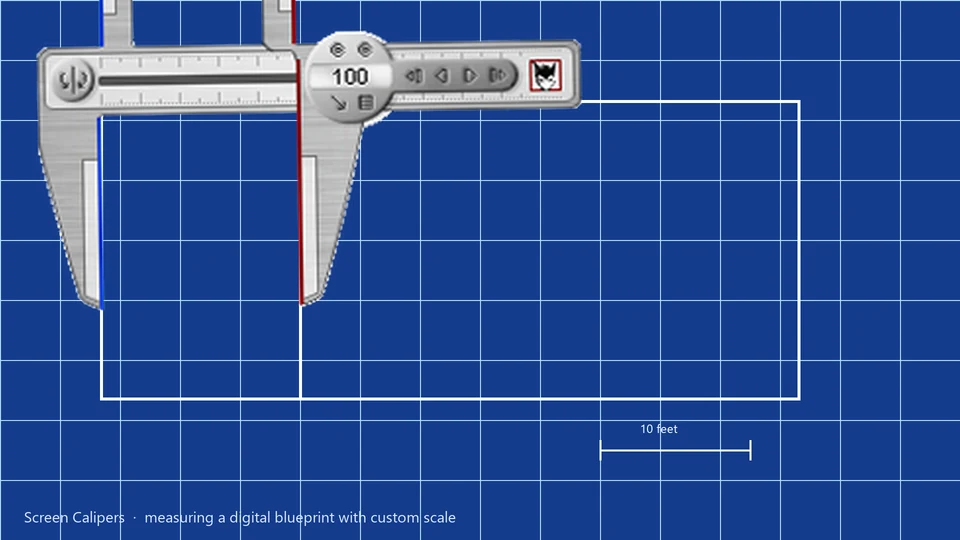
Measure to scale on any scan or PDF
Architectural drawings, site plans, and scanned maps rarely open in software with trustworthy rulers. Screen Calipers calibrate once to a known distance, then read in feet, meters, or custom units while you work in the viewer you already use.
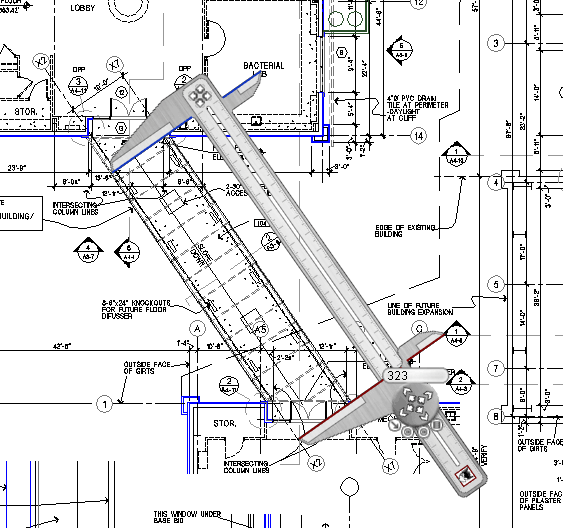
The Screen Calipers getting started guide walks through a blueprint example: measure a door you know is 2.75 feet wide, enter 30 pixels and 2.75 feet in Calibrate Units, and every span after that reads in feet on that drawing. This workflow is essential for estimators, engineers, and project managers who need to extract data from static files without expensive CAD licenses.
Unlike a physical ruler held up to the screen, or a basic axis-aligned screen ruler, Screen Calipers rotate 360 degrees. This means you can measure property lines, contour gradients, and angled walls with the same precision as a horizontal corridor.
Calibrate to a map scale or site legend
On a road map or topographical survey, stretch the Calipers across a labeled distance (100 miles on the legend, or a 50ft scale bar). Note the pixel readout. Open Calibrate Units, enter those pixels and the corresponding length in your unit field. The tool now reports map distances without you ever leaving the image viewer.
This persistence is key: the Calipers stay on top as you pan and zoom through your document. You can even use the "Lock Angle" feature to maintain a specific heading while you measure parallel spans across a large site plan.
- Setup: Open your plan at a zoom level where the scale is clearly visible.
- Initial Pixel Count: Measure the scale bar with the Calipers.
- Unit Creation: Add your new unit (e.g., "Miles on Map") in the Calibrate window.
- Active Measurement: Drag the Calipers across any two points on the plan. The face will now read in your real-world units.
CAD without a CAD seat
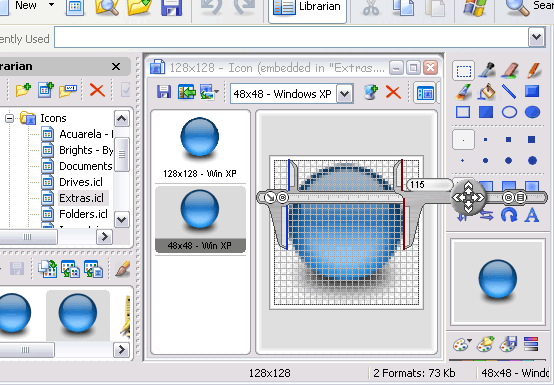
Customers tell us Calipers are useful when a lightweight CAD program has grids but no quick overlay, or when a PDF markup tool reports pixels only. You get physical-calipers behavior on screen: rotate 360°, micro-adjust, tuck to the monitor edge, recall when needed.
Sign shops use the same calibration trick at 25% zoom; see Screen Calipers for sign vinyl layout for that workflow.
Try Screen Calipers
Download the free trial for Windows 10 and 11, or buy a license.
